








Most CRM projects in Toronto don’t fail because the software is bad. They fail because the wrong consultant implemented the wrong platform for the business’s actual size and sales process and by month three, the team has quietly gone back to spreadsheets and sticky notes.
If you’re a Toronto business owner ready to implement or migrate a CRM system, this guide will help you avoid that outcome. It covers exactly what to evaluate before you hire: platform expertise that matches your team size, a real implementation methodology (not just a software login), post-launch support that doesn’t disappear after go-live, and the specific red flags that predict a failed CRM project months before it happens.
For BizStori’s own CRM consulting and implementation service, visit our CRM consultant Toronto service page. This guide will help you evaluate us and every other option fairly.
What Does a CRM Consultant Actually Do?
A CRM consultant helps a business select, implement, configure, and optimise a Customer Relationship Management system the software that tracks leads, manages your sales pipeline, automates follow-up, and stores your customer and patient data in one place.
Their job is not just to click ‘create account’ on a CRM platform. A genuine CRM consultant maps your actual sales or patient intake process, configures pipeline stages and automation that reflect how your business really operates, migrates your existing data cleanly, integrates the CRM with your website, ad platforms, and other tools, trains your team to actually use it, and provides ongoing support as your processes evolve.
The distinction matters because most CRM projects fail at exactly the steps a bad consultant skips process mapping, clean data migration, and genuine team training. The software is rarely the problem. The implementation almost always is.
| 📊 Why This Decision Matters So Much
Toronto is home to over 97,000 small businesses, and CRM consulting project costs in the Toronto market average under $10,000 for most SMB engagements but a poorly implemented CRM costs far more than the consulting fee. Missed leads, double data entry, and a team that abandons the system by month three represent ongoing, compounding losses that dwarf the upfront implementation cost. |
1 |
Match Platform Expertise to Your Business Size |
This is the single most important and most frequently skipped evaluation step. Many Toronto CRM consultants lead with enterprise platforms like Salesforce or Microsoft Dynamics 365 because those projects are larger and more prestigious to list as case studies. But the platform that fits your team size is far more important than the platform with the most brand recognition.
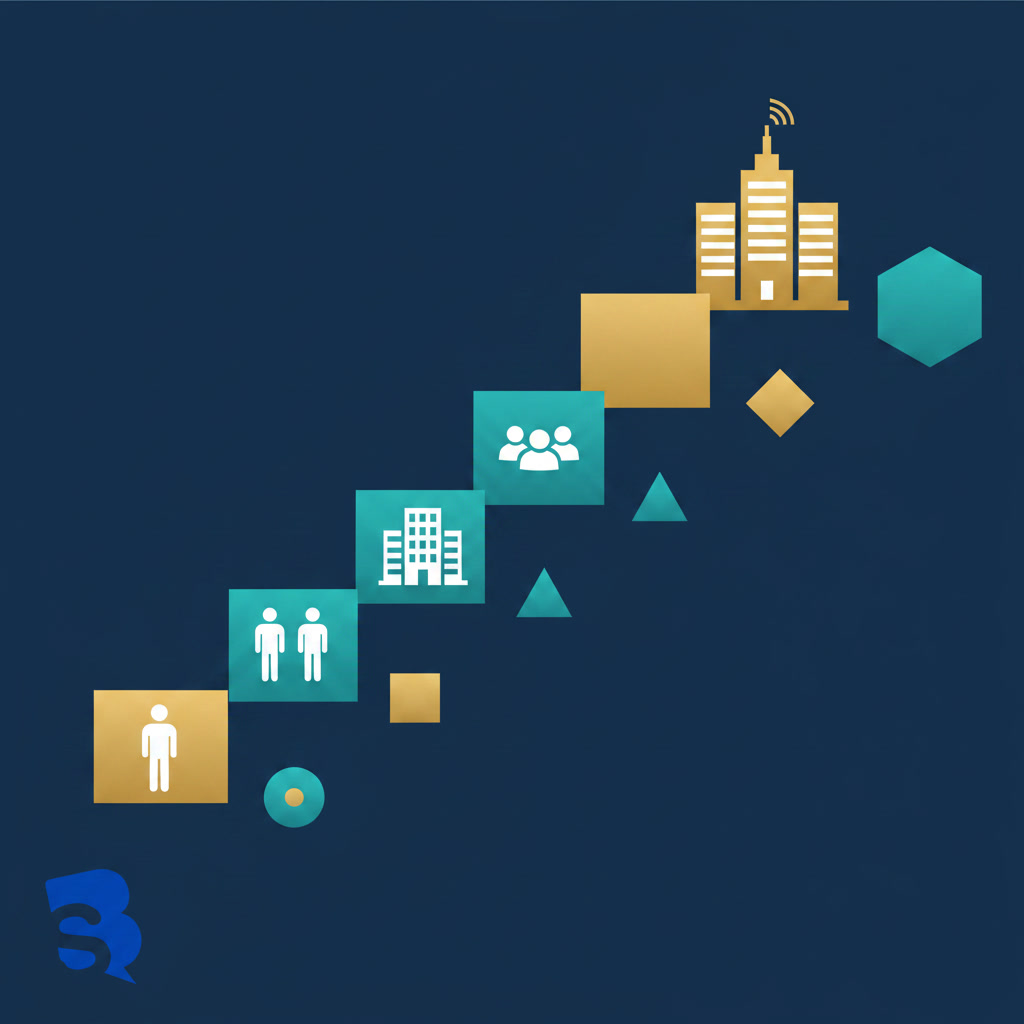
Enterprise Platforms vs SMB Platforms Which Do You Actually Need?
A two-person consultancy and a forty-person sales floor are solving completely different problems. Here is the honest platform-matching framework most Toronto CRM consultants won’t volunteer because it often points away from their most profitable enterprise projects:
| Your Team Size | Best-Fit Platform | Why |
| 1–5 people (service business, clinic) | GoHighLevel or Pipedrive | All-in-one CRM, automation, booking, and reputation management. Lower cost, faster setup, designed for businesses that need results without a dedicated CRM administrator. |
| Agencies/consultants reselling | GoHighLevel (white-label) | White-label SaaS mode lets you resell branded CRM access to your own clients as a recurring revenue stream. |
| 5–20 people, scaling fast | HubSpot or Zoho | More structure than Pipedrive, less complexity than Salesforce. Free/low-cost entry tiers that scale with you. |
| 20–50 people, multiple departments | Zoho or Monday.com | Cross-departmental workflows, more customisation, still manageable without a full-time CRM admin. |
| 50+ people, complex sales cycles | Salesforce or Dynamics 365 | Justified once genuine complexity multi-stage approvals, complex territory management, deep ERP integration actually demands it. |
GoHighLevel Why It’s the Right Fit for Many Toronto SMBs
For most Toronto service businesses, clinics, and small agencies, GoHighLevel (GHL) is the right-sized platform one system that replaces a separate CRM, email marketing tool, SMS platform, funnel builder, appointment booking system, and reputation management tool. The challenge is that GHL is also one of the most complex platforms to configure correctly. The account hierarchy, domain setup, workflow logic, and integration sequencing all need to be done in the right order get it wrong and automations break silently, emails land in spam, and leads fall through gaps you never see.
This is exactly why platform expertise matters more than platform popularity when evaluating a consultant. A consultant who only knows Salesforce will steer every client toward Salesforce even a five-person dental clinic that needs GoHighLevel’s booking and review automation, not enterprise sales pipeline management. BizStori’s CRM consulting service is built around matching the platform to the business, not the other way around.
2 |
Evaluate Their Implementation Process |
A CRM consultant without a documented, repeatable implementation methodology is improvising on your business. Ask to see their process before you sign anything a consultant with real experience will have this written down and will walk you through it confidently.
What a Proper Implementation Methodology Looks Like
- Discovery and process mapping: Before any software configuration begins, a proper consultant maps your actual sales or intake process lead sources, pipeline stages, qualification criteria, and what happens at each step today (even if it’s manual and messy).
- Platform and plan selection: Based on the discovery, the consultant recommends a specific platform and plan tier with clear reasoning tied to your team size and process, not a generic recommendation.
- Configuration and build: Pipelines, custom fields, tagging logic, automation workflows, and integrations (website forms, ad platforms, booking tools) are built to match your mapped process not a generic template.
- Data migration: Existing customer or patient data is cleaned and migrated without duplicate records, broken formatting, or lost history. This step is where many self-managed and rushed implementations fail silently.
- Testing before go-live: Every automation, integration, and lead source is tested end-to-end before real leads flow through the system confirming nothing breaks and nothing fails silently.
- Team training: Your team is trained on the actual workflows they’ll use daily not a generic platform overview. Training that doesn’t reflect your specific configured system gets forgotten within a week.
- Go-live and monitoring: The consultant actively monitors the system in the first 1–2 weeks of live use, catching and fixing issues before they compound.
Questions to Ask About Their Process
- “Can you walk me through your implementation methodology step by step?”
- “How do you handle data migration from our current system or spreadsheets?”
- “What does your team training actually look like is it generic or specific to our configured setup?”
- “How do you test automations before they go live with real leads?”
- “What happens in the first two weeks after go-live?”
3 |
Understand What Post-Launch Support Actually Means |
A CRM is a living system, not a one-time setup. Your sales process will evolve, you’ll add new lead sources, your team will hit edge cases the original configuration didn’t anticipate, and platforms themselves release new features that may benefit your setup. A consultant who disappears after go-live leaves you with a system that slowly degrades as your business changes around it.
When evaluating post-launch support, get specific answers to these distinctions:
✓ Response time commitment: Is there a defined response time for support requests (e.g., within 24 business hours), or is it “we’ll get to it when we can”?
✓ Included vs billable hours: Does the engagement include a set number of monthly support hours, or is every question billed separately at an hourly rate?
✓ Regular check-ins: Will the consultant proactively review your system performance monthly or quarterly, or only respond when you reach out with a problem?
✓ Optimisation, not just fixes: Will they suggest improvements as your business grows, or only fix things that are actively broken?
✓ Knowledge transfer: Do you have admin access and documentation for your own system, or are you dependent on this specific consultant indefinitely?
4 |
PIPEDA Compliance for Canadian Businesses |
Any Toronto business collecting, using, or disclosing personal information during commercial activity must comply with PIPEDA (the federal Personal Information Protection and Electronic Documents Act). This applies regardless of which CRM platform you use there is no special “PIPEDA-compliant” software badge. Compliance is a matter of how the system is configured and how your business handles the data within it.
A CRM consultant who understands PIPEDA will configure your system to handle three things correctly from day one:
- Documented consent capture: Forms and intake processes that clearly capture what the contact is consenting to marketing communications, data storage, and how their information will be used.
- Accessible data and the right to be forgotten: Your CRM configuration must allow you to retrieve a specific individual’s complete data on request and delete it within a reasonable timeframe typically a 30-day response process.
- Sensible data retention: Personal information should not be retained indefinitely without purpose. A properly configured CRM has retention rules that align with your actual business need to keep the data.
For healthcare businesses specifically dental clinics, physiotherapy practices, medical spas PHIPA (Ontario’s health-specific privacy law) layers additional requirements on top of PIPEDA. See our Healthcare SEO Toronto guide for the full PHIPA framework, and our medical spa SEO guide for an example of PHIPA-safe automated review and follow-up systems
| ⚠️ Ask This Before You Sign
“How do you configure consent capture and data retention to meet PIPEDA requirements?” If a CRM consultant cannot answer this clearly, or treats it as an irrelevant question, that is a meaningful gap in their understanding of Canadian business requirements not a minor detail to overlook. |
7 Red Flags When Hiring a CRM Consultant in Toronto
The Toronto CRM consulting market includes everyone from genuine certified specialists to generic IT contractors who added “CRM consulting” to their service list without deep platform expertise. Here are the seven warning signs to watch for:
| 🚩 Red Flag | Why It Matters |
| 🚩 They recommend the same platform to every client | A consultant who pitches Salesforce to a 3-person business and a 200-person enterprise the same way isn’t matching the platform to your needs they’re selling the platform they know best regardless of fit. |
| 🚩 No documented implementation process | If they can’t walk you through discovery, configuration, testing, and training as distinct steps, they are likely improvising the build in real time on your business. |
| 🚩 Vague or absent data migration plan | Data migration is where rushed implementations fail silently duplicate records, lost history, broken formatting. A consultant with no specific migration methodology is a significant risk. |
| 🚩 No PIPEDA awareness | Any Canadian business handling customer data needs basic privacy compliance built into the CRM configuration. A consultant who treats this as irrelevant signals a broader gap in Canadian business understanding. |
| 🚩 Support disappears after go-live | If post-launch support isn’t clearly defined in writing response times, included hours, check-in cadence assume there is none once the invoice is paid. |
| 🚩 You don’t own admin access | If the consultant retains primary admin control and you can’t independently manage users, settings, or export your own data, you are dependent on them indefinitely. |
| 🚩 No real client references in your size range | A consultant who can only show enterprise case studies when you’re a 5-person clinic, or vice versa, likely lacks genuine experience in your specific situation. |

What CRM Implementation Costs in Toronto (2026 Benchmarks)
CRM implementation costs in the Toronto market vary significantly by platform complexity, business size, and scope of automation required. Here are realistic 2026 ranges:
| Tier | Investment (CAD) | What’s Included | Timeline |
| SMB Setup | $1,500–$4,000 | GoHighLevel/Pipedrive setup, pipeline build, basic automation, lead source integration, team training | 2–4 weeks |
| Growth Tier | $4,000–$10,000 | HubSpot/Zoho implementation, multi-channel integration, advanced workflows, data migration | 4–8 weeks |
| Enterprise | $10,000–$30,000+ | Salesforce/Dynamics 365, multi-department config, ERP integration, complex approval flows | 8–16 weeks |
| Ongoing Support | $300–$1,500/mo | Monthly check-ins, automation refinement, new feature rollout, support hours | Ongoing |
Most Toronto CRM consulting engagements for SMBs and clinics average under $10,000 total project cost. For a comparison of how CRM investment fits into a broader marketing budget, see our internet marketing services pricing guide and our PPC management cost guide.
| Want a Free CRM Assessment for Your Toronto Business?
BizStori will review your current lead process, recommend the right platform for your team size, and show you exactly what proper implementation looks like. |
Questions to Ask Before You Sign With Any CRM Consultant
- “Which platforms do you implement, and which would you recommend for a business our size and why?” A good answer references your team size and process, not just their favourite platform.
- “Can you show me your implementation methodology and a timeline for a project like ours?” Vague answers signal improvisation.
- “How do you handle data migration, and what happens if something doesn’t map cleanly?”
- “What does post-launch support look like, specifically response times, included hours, and check-in frequency?”
- “Will we have full admin access to our own system, and can you provide documentation?”
- “How do you configure for PIPEDA compliance consent capture, data access requests, retention?”
- “Can you share a reference from a client close to our team size and industry?”
How BizStori Approaches CRM Implementation for Toronto Businesses
BizStori’s CRM consulting service is built around matching the right platform most often GoHighLevel for the service businesses and healthcare clinics we work with to your actual team size and sales or patient intake process, not the platform with the biggest enterprise case study.
Our implementation process includes full discovery and process mapping, clean data migration, tested automation before go-live, and team training specific to your configured system. For healthcare clients, every CRM build includes PHIPA-safe patient follow-up and review automation the same compliant systems referenced in our Healthcare SEO Toronto guide and Medical Spa SEO guide.
We also integrate your CRM with the rest of your marketing system your website, your Google Ads campaigns, and your booking flow as covered in our dental website design guide so every lead source flows into one system with the right automated follow-up. See our case studies for real results from Toronto clients.
| Ready to Get a CRM System That Your Team Actually Uses?
Book a free consultation we’ll map your current process, recommend the right platform, and give you a clear implementation plan before you commit to anything. → Book Your Free CRM Strategy Call → bizstori.ca/crm-consultant-toronto |
FAQ CRM Consultants Toronto
What does a CRM consultant do?
A CRM consultant helps a business select, implement, configure, and optimise a Customer Relationship Management system. This includes mapping your sales or patient intake process, recommending and configuring the right platform, migrating existing data cleanly, building automation workflows, integrating with your website and ad platforms, training your team, and providing ongoing post-launch support.
How much does it cost to hire a CRM consultant in Toronto?
CRM implementation in Toronto typically costs $1,500–$4,000 for SMB platforms like GoHighLevel or Pipedrive, $4,000–$10,000 for growth-tier platforms like HubSpot or Zoho, and $10,000–$30,000+ for enterprise platforms like Salesforce or Microsoft Dynamics 365. Most Toronto SMB and clinic CRM consulting projects average under $10,000 total. Ongoing monthly support typically adds $300–$1,500/month depending on scope.
Which CRM platform is best for a small business in Toronto?
For most Toronto service businesses, clinics, and small agencies (1–20 people), GoHighLevel, Pipedrive, or HubSpot are better fits than enterprise platforms like Salesforce. GoHighLevel in particular suits businesses that want CRM, automation, booking, and reputation management combined in one platform. The right choice depends on team size and actual workflow not which platform has the most brand recognition.
What are the biggest red flags when hiring a CRM consultant?
The most important red flags are: a consultant who recommends the same platform to every client regardless of size, no documented implementation methodology, a vague or absent data migration plan, no awareness of PIPEDA compliance requirements, post-launch support that isn’t clearly defined, and a setup where you don’t retain full admin access to your own system.
Do Canadian businesses need a PIPEDA-compliant CRM?
Yes any private-sector business collecting, using, or disclosing personal information during commercial activity in Canada must comply with PIPEDA, regardless of which CRM platform is used. There is no special PIPEDA-certified software badge; compliance depends on how the business configures consent capture, data access requests, and retention rules within the chosen platform.
How long does CRM implementation take?
SMB-scale CRM implementations (GoHighLevel, Pipedrive) typically take 2–4 weeks from discovery to go-live. Growth-tier platforms like HubSpot or Zoho take 4–8 weeks. Enterprise implementations involving Salesforce or Dynamics 365 with multi-department configuration and ERP integration typically take 8–16 weeks. Timelines depend heavily on how quickly the business provides process documentation, data exports, and stakeholder availability for training.
What’s the difference between buying CRM software and hiring a CRM consultant?
Buying CRM software gives you a login and a blank system. A CRM consultant maps your actual sales or intake process, configures the platform to match it, migrates your existing data cleanly, builds tested automation, and trains your team on the specific configured workflows they’ll use daily. Most CRM projects that fail do so not because the software was wrong, but because no one did this implementation work the business was simply handed a login and left to figure it out alone.
