










A dental website in Toronto is doing one of two things: converting visitors into booked appointments, or sending them to a competitor who built their site the right way. In 2026, well-designed Toronto dental websites achieve visitor-to-booking conversion rates of 4–9%. The typical legacy site converts under 1%. That gap is the difference between a full appointment calendar and a quiet waiting room.
The reason most Toronto dental websites fail to convert has nothing to do with aesthetics. It has to do with the patient’s decision-making process — what they need to see, feel, and trust before they’ll hand over their phone number or click a booking button. Understanding that process is what separates a dental website that looks good from a dental website that actually grows your practice.
This guide is written for Toronto dental practice owners who are launching a new website or redesigning an existing one. For BizStori’s full dental website design service, visit our dental web design Toronto page — or read on for the complete tactical guide.
Why Most Toronto Dental Websites Fail to Convert
The GTA has thousands of dental clinics. The majority of their websites were built between 2015 and 2021, use template-based designs from dental-specific website builders, and haven’t been updated since launch. These sites were built to look professional — not to convert patients.
The conversion gap is stark. A modern, properly designed Toronto dental website converts 4–9% of visitors into patient inquiries or bookings. A typical legacy site converts under 1%. With 500 monthly website visitors, that’s the difference between 5 new patient inquiries and 45.
| Factor | ❌ Legacy Dental Site (2015–2021) | ✅ Modern Dental Site (2026) |
| Conversion rate | Under 1% of visitors book | 4–9% of visitors book |
| Online booking | Contact form or phone only | Live calendar booking integrated |
| Mobile experience | Desktop design scaled down | Mobile-first, thumb-navigable |
| Load speed | 4–8 seconds | Under 2.5 seconds |
| Service pages | One generic ‘Services’ page | Dedicated page per treatment |
| Trust signals | Generic stock photos | Real team photos, credentials, reviews |
| SEO readiness | Template meta tags, slow | Schema markup, optimised structure |
| AODA compliance | Rarely compliant | WCAG 2.1 AA compliant |
The Toronto Patient’s Decision Journey
Before designing a single page, you need to understand how a Toronto patient actually makes a dental booking decision. The journey typically looks like this:
- Search: Patient searches “dentist near me,” “dental implants Scarborough,” or “Invisalign North York” on Google — usually on a mobile phone.
- Scan: Google returns a Maps Pack of 3 clinics plus organic results. Patient scans the options — rating, review count, location, and whether you’re accepting new patients are the primary filters at this stage.
- Visit: Patient clicks through to your website. They spend an average of 8–12 seconds deciding whether this clinic feels trustworthy and relevant to their situation.
- Evaluate: If the initial impression passes, they look for: specific service information, credentials and team photos, patient reviews, and — critically — how easy it is to book.
- Book or Bounce: If the booking path is clear and the trust signals are strong, they book. If anything creates friction — a slow load, a form that asks too many questions, no visible pricing context, no real team photos — they go back to the search results and book with a competitor.
| 📊 The Numbers That Define This Journey
55–70% of Toronto dental clinic website visitors arrive on mobile. 80%+ of patients read online reviews before choosing a dentist. Clinics with real online booking (not a callback form) generate 2–4x more new patient bookings than those without. Average new patient lifetime value in Toronto family dentistry: $2,800–$4,500 CAD. |
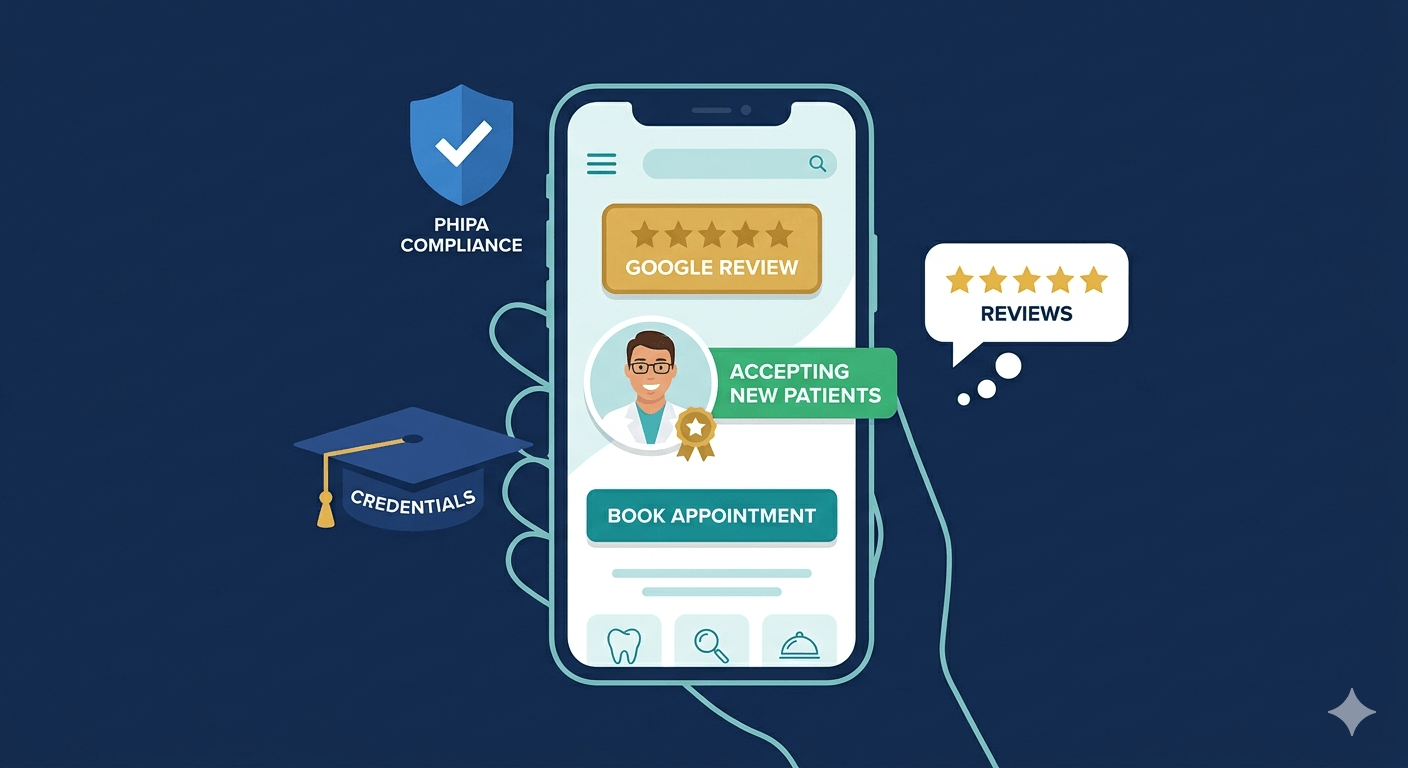
Above the Fold — The First 3 Seconds That Determine Everything
“Above the fold” refers to everything visible on screen before a visitor scrolls. On a mobile phone — where 55–70% of your Toronto patients are viewing your site — this is a very small area. Every element above the fold must earn its place by either building trust, communicating relevance, or reducing friction to booking.
The 5 Elements Every Toronto Dental Homepage Needs Above the Fold
- Clinic name and location: “Hwy 7 Family Dentistry — Markham, ON” in clear, readable text. Patients want to instantly confirm they’re in the right place and that you’re nearby. If your location isn’t clear above the fold, patients in a hurry will leave.
- A headline that speaks to the patient’s goal: Not “Welcome to Our Practice” — that communicates nothing. Instead: “New Patients Welcome in Scarborough — Book Online Today” or “Family Dentistry in North York — Same-Week Appointments Available.” Speak to what the patient is looking for, not who you are.
- Phone number — always tap-to-call on mobile: Your phone number must be in the top right corner of every page, formatted as a tap-to-call link on mobile. Healthcare patients — especially those searching for emergency care or same-day appointments — will not hunt for your number. If it’s not immediately visible, they call someone else.
- Primary CTA button — single and prominent: One clear button above the fold: “Book an Appointment” or “Request an Appointment Online.” Not three competing CTAs. Not a buried contact form link. One action, made easy.
- A trust anchor — real photo or social proof: Either a genuine photo of your clinic reception or a visible Google review badge (4.8 ★ — 120 Reviews) placed near the CTA. This single element dramatically reduces the anxiety patients feel before booking with a new provider.
| 💡 The Most Common Above-the-Fold Mistake
Using a full-screen stock photo hero image with a generic “Your Smile is Our Priority” headline. Stock dental photos signal inauthenticity immediately. Toronto patients in 2026 have seen enough dental websites to recognise a template. A real photo of your actual reception area or your actual team — even an imperfect one — converts better than a perfect stock image every time. |
Trust Elements That Make Toronto Patients Book vs. Keep Searching
Trust is the currency of healthcare websites. A patient handing you access to their mouth is an act of significant vulnerability — they need to feel confident in your expertise, your transparency, and your practice culture before they’ll make that commitment. Here are the 10 trust elements that consistently move the needle on Toronto dental website conversion rates.
✓ Real team photos with credentials: A photo of Dr. [Name], DDS — smiling, professional, with their credentials clearly listed — is worth more than any design element. Patients book people, not logos.
✓ Embedded Google reviews (live feed): Not manually added testimonials — a live Google reviews widget showing your current rating and recent reviews. Static testimonials look curated. Live Google reviews look earned.
✓ Review count and star rating visible near every CTA: “★★★★★ 4.8 — 140 Google Reviews” placed directly above or beside your booking button. This is the single highest-converting trust placement.
✓ “Accepting New Patients” statement: Prominently on the homepage, ideally above the fold. This answers the #1 question Toronto patients have before reaching out.
✓ Professional association logos: RCDSO membership, ODA member badge, CDA logo. These communicate regulatory compliance and professional standards without you having to claim them yourself.
✓ Years in practice / patients served: “Serving North York families since 2008” or “Over 3,500 patients trust us with their care” — social proof through scale and longevity.
✓ Before/after gallery (with PHIPA consent): For cosmetic services — Invisalign, veneers, whitening, implants — a genuine before/after gallery with patient consent is the most persuasive content on the page. Ensure PHIPA-compliant consent documentation is obtained.
✓ Transparent service descriptions with process: “What does a root canal actually involve?” — answering this honestly on your service page reduces pre-appointment anxiety and improves show rates for booked appointments.
✓ Financing and payment options: “Flexible payment plans available — 0% financing through X” prominently on high-value service pages (implants, Invisalign). Patients who can’t see financing information assume it doesn’t exist and self-select out.
✓ Privacy policy and PHIPA compliance statement: Visible in the footer. Patients submitting their contact information want to know it’s handled appropriately. PHIPA compliance language builds specific trust with Ontario patients.
Page Structure — Section by Section
A dental website is not a single page — it’s a system of pages, each designed to serve a specific patient at a specific stage of their decision journey. Here is the correct structure for each key page type, and what each section must accomplish.
| Homepage | • Clinic name + location + accepting new patients
• Headline addressing patient goal + primary CTA • Google review badge + star rating • Services overview (links to individual service pages) • Team introduction with real photos • Before/after gallery preview (cosmetic services) • Location map + neighbourhood targeting • Secondary CTA + contact information |
| Service Page(per treatment) | • H1: [Service] in [Neighbourhood] — e.g. “Dental Implants in Scarborough”
• What is this service? (direct AI Overview answer in first 2 sentences) • Who is it for? (patient eligibility, symptoms/conditions it addresses) • What does the treatment involve? (step-by-step process) • How long does it take + recovery expectations • Cost range and financing options • Before/after photos (PHIPA-compliant) • Testimonials specific to this service • FAQ section (schema-marked for AI Overview) • Prominent booking CTA |
| About / Team | • Practice story — when founded, why, what makes you different
• Individual practitioner bios: name, photo, DDS/credential, specialty, languages spoken • Practice values — patient experience philosophy • Community involvement (local Toronto community connection) • Awards, certifications, continuing education |
| Contact / Booking | • Clinic address + embedded Google Map
• Phone (tap-to-call) + email • Hours including holidays and emergency availability • Online booking widget (integrated with practice management software) • Simple intake form — name, phone, preferred time ONLY • Parking and transit access information • “Accepting New Patients” reconfirmation |
Online Booking UX — The Highest-Impact Feature on Any Dental Website
This is the single feature with the greatest measurable impact on new patient acquisition. Toronto dental clinics that implement real-time online booking — integrated directly with their practice management software (Dentrix, Eaglesoft, Curve, Jane App) — generate 2–4x more new patient bookings than clinics relying on contact forms or callback requests.
The distinction matters enormously: a contact form that says “we’ll call you to confirm” is not online booking. It’s a form submission. Patients who want to book at 10pm on a Tuesday — which is when a large percentage of dental searches happen — will not wait for a callback the next morning. They will book the clinic that lets them pick a time right now.
Online Booking UX Best Practices for Toronto Dental Clinics
- Minimum click path: The path from homepage to confirmed booking should require no more than 3 clicks. Service → Booking Widget → Confirmation. Every additional step reduces completion rate by approximately 15–20%.
- Mobile-optimised booking widget: Your booking widget must work flawlessly on a 375px mobile screen. Test it yourself on an iPhone and an Android phone. If it requires pinching or horizontal scrolling, patients will abandon it.
- New patient vs existing patient: Separate booking flows for new patients (who need more time) and existing patients (who need less). This reduces scheduling friction on both sides.
- Service selection in the booking flow: Allow patients to select the specific service they need during booking — not just a generic “appointment” slot. This improves scheduling accuracy and reduces day-of chair time waste.
- Immediate confirmation: The booking confirmation should arrive by both email and text within 60 seconds of submission. An automated reminder 48 hours before the appointment reduces no-show rates by 30–40%.
- PHIPA-compliant intake: The booking form must collect only what’s necessary — name, phone, preferred appointment type, and new/existing patient status. Health condition details belong in a PHIPA-compliant intake form sent after booking, not in the booking widget itself.
| 2–4×
More new patient bookings with real online booking vs. contact forms |
Mobile-First Design — Non-Negotiable in 2026
Google uses mobile-first indexing — it evaluates your website’s mobile version to determine your search rankings. And 55–70% of Toronto dental patients are visiting your website on a phone. These two facts together mean that mobile performance is not a “nice to have” — it is the primary design brief for any Toronto dental website in 2026.
What Mobile-First Dental Design Actually Means
- Thumb-zone navigation: The most important interactive elements — phone number, book button, navigation menu — must be reachable with a thumb without repositioning the hand. Bottom-of-screen placement for primary CTAs dramatically improves mobile conversion.
- Font size minimum 16px: Text smaller than 16px on mobile forces patients to zoom in. Any site that requires zooming to read content loses approximately 40% of mobile visitors immediately.
- Tap targets minimum 44×44px: Buttons, links, and form fields must be large enough to tap accurately with a finger. Tiny tap targets cause mis-taps that frustrate patients and increase bounce rate.
- No interstitials or pop-ups on mobile: Google penalises mobile sites with intrusive pop-ups that cover content immediately on page load. If you use a new patient offer popup, delay it by at least 30 seconds or trigger it on exit intent.
- Click-to-call and click-to-map: Your phone number must open the dialler when tapped. Your address must open Google Maps when tapped. Neither should be static text.
AODA and PHIPA Compliance for Toronto Dental Websites
Toronto dental website compliance has two dimensions that most web designers outside the healthcare space are unfamiliar with: AODA accessibility standards and PHIPA privacy requirements.
AODA Compliance
AODA (Accessibility for Ontarians with Disabilities Act) requires Ontario businesses to meet WCAG 2.1 Level AA accessibility standards for their websites. For dental clinics, this means:
- Alt text on all images: Every photo must have descriptive alt text for screen reader accessibility.
- Sufficient colour contrast: Text must meet minimum contrast ratios (4.5:1 for body text) against its background. Many dental website colour schemes fail this test.
- Keyboard navigability: All interactive elements — forms, buttons, booking widgets — must be accessible via keyboard navigation for patients who cannot use a mouse.
- Accessible PDFs: New patient forms, treatment brochures, and any downloadable documents must be screen reader accessible.
PHIPA Compliance
As covered in detail in our Healthcare SEO Toronto guide, PHIPA governs how personal health information is collected on your website. For dental website design, this means:
- Contact forms: Forms that collect a patient’s name alongside a health concern or appointment type require explicit consent language and PHIPA-compliant form processing infrastructure.
- Analytics: Standard Google Analytics can create PHIPA exposure if tracking identifiable patients browsing condition-specific pages. Implement a PHIPA-safe analytics configuration with consent mode.
- Privacy policy: Must be Ontario/PHIPA-specific — not a generic US privacy policy template. Must be accessible from every page footer.
BizStori’s dental website design service builds AODA compliance and PHIPA-safe infrastructure into every project from the start — not as an afterthought.
Speed, SEO, and Technical Foundations
A beautifully designed dental website that loads in 6 seconds converts almost nobody. Page speed is both a conversion factor and a direct Google ranking signal — slow sites rank lower and lose the patients they do attract.
Speed Targets for Toronto Dental Websites
- Time to First Contentful Paint: Under 1.8 seconds. This is when the patient first sees meaningful content — the critical moment that determines whether they stay or leave.
- Total page load time: Under 2.5 seconds on a 4G mobile connection. Google PageSpeed Insights target: score above 75 on mobile.
- Image optimisation: All clinical and team photos must be compressed and served in WebP format. Unoptimised images are the #1 cause of slow dental websites.
SEO-Ready Design Foundations
A well-designed dental website and strong SEO are inseparable — the design decisions you make during the build directly affect your Google rankings. Our Dental SEO Toronto guide covers this in depth, but the key design-level SEO requirements are:
- One dedicated page per service: “Dental Implants,” “Invisalign,” “Emergency Dentistry” — each on its own URL with its own H1, meta title, and content. A single “Services” page cannot rank for individual treatment searches.
- Neighbourhood targeting in URL structure: “dental-implants-scarborough” and “invisalign-north-york” — neighbourhood-specific URLs that capture local search intent.
- Schema markup built in at launch: MedicalBusiness schema, Dentist schema, Service schema, FAQPage schema, and AggregateRating schema — not added as an afterthought after launch.
- Core Web Vitals compliance: LCP under 2.5 seconds, FID under 100ms, CLS under 0.1. These Google ranking signals are built into the technical architecture, not patched after the fact.
| Want a Free Assessment of Your Current Dental Website?
BizStori reviews Toronto dental clinic websites and provides a conversion, SEO, and compliance audit — identifying exactly what’s costing you new patient bookings. → Get Your Free Dental Website Audit → bizstori.ca/contact-us |

What a Toronto Dental Website Redesign Costs in 2026
Toronto dental website design pricing varies widely based on the number of pages, level of customisation, booking system integration, and ongoing SEO requirements. Here are realistic 2026 ranges for GTA dental clinics:
| Tier | Investment (CAD) | What’s Included | Timeline |
| Essential | $3,500–$6,000 | 5–8 pages, mobile-optimised, basic booking form, Google Analytics, 1-year support | 4–6 weeks |
| Professional | $6,000–$10,000 | 10–15 pages, online booking integration, full SEO setup, schema markup, AODA compliance | 6–10 weeks |
| Premium | $10,000–$18,000 | Full custom design, 20+ pages, PMS booking integration, PHIPA-safe forms, CRO testing | 10–16 weeks |
| Ongoing SEO | $1,200–$2,500/mo | Monthly content, GBP management, technical SEO, ranking reporting | Ongoing |
| 💡 The ROI Context for Dental Website Investment
A $8,000 dental website investment that improves your conversion rate from 1% to 5% — on 400 monthly visitors — generates 16 additional new patient inquiries per month instead of 4. At a Toronto average new patient lifetime value of $3,500, that’s $42,000 in additional annual patient revenue from the conversion rate improvement alone. Most dental website redesigns pay back within 60–120 days. |
How BizStori Designs Dental Websites That Fill Appointment Calendars
BizStori’s dental website design service is built around one objective: new patient acquisition. Every design decision — from above-the-fold layout to service page structure to booking widget placement — is made with conversion rate and SEO performance as the primary criteria.
Our dental website projects include AODA compliance, PHIPA-safe form architecture, full SEO foundation (service pages, schema markup, Core Web Vitals), online booking integration, and Google Business Profile optimisation as standard. We’ve helped Toronto dental clients including Hwy 7 Family Dentistry improve their digital presence and grow patient acquisition through a combined dental SEO and web design approach.
For dental clinics also running Google Ads, our healthcare PPC management service ensures your ads send traffic to PHIPA-compliant, conversion-optimised landing pages that match each campaign’s message. And our CRM automation service ensures every new patient inquiry is followed up automatically — so no lead falls through the cracks after your redesign goes live.
FAQ — Dental Website Design Toronto
What makes a good dental website design?
A good dental website design in Toronto is measured by one metric: how many visitors it converts into booked appointments. The key elements are a clear above-the-fold layout with a prominent booking CTA, real team photos and credentials, an embedded Google reviews widget, dedicated service pages for each treatment, real-time online booking integration, mobile-first design, sub-2.5-second load speed, and AODA/PHIPA compliance. Aesthetics matter — but only in service of conversion.
How much does dental website design cost in Toronto?
Toronto dental website design typically costs $3,500–$18,000 CAD depending on the number of pages, level of customisation, booking system integration, and SEO foundation required. A professional 10–15 page site with online booking integration and full SEO setup runs $6,000–$10,000. Ongoing monthly SEO and maintenance adds $1,200–$2,500/month. Most Toronto dental website redesigns pay back within 60–120 days through improved new patient acquisition.
Does my dental website need to be AODA compliant?
Yes. AODA (Accessibility for Ontarians with Disabilities Act) requires Ontario businesses to meet WCAG 2.1 Level AA accessibility standards. For a Toronto dental clinic, this means proper alt text on all images, sufficient colour contrast ratios, keyboard navigability for all interactive elements, and accessible patient intake forms and PDFs. Non-compliance creates legal exposure — and is increasingly flagged by Google as a quality signal.
What is the difference between a contact form and real online booking?
A contact form collects a patient’s information and sends it to your front desk — who then calls the patient back to schedule. Real online booking allows the patient to select a specific appointment date, time, and service type directly on your website, with instant confirmation. Clinics with real online booking generate 2–4x more new patient bookings than those with contact forms only — because patients who search at night or on weekends can book immediately rather than waiting for a callback.
How long does it take to build a dental website?
A professional dental website build in Toronto typically takes 4–16 weeks depending on complexity. A 5–8 page essential site takes 4–6 weeks. A full 15–20 page site with custom design, booking integration, full SEO foundation, and AODA compliance takes 8–14 weeks. Timelines depend heavily on how quickly the dental clinic provides photography, content approvals, and practice management software access for booking integration.
Should my dental website have a separate page for each service?
Yes — absolutely. This is one of the highest-impact SEO and conversion decisions in dental website design. A patient searching ‘dental implants Scarborough’ needs to land on a page that is entirely and specifically about dental implants in Scarborough — not a generic Services page that mentions implants in a paragraph. Individual service pages rank independently in Google, convert at higher rates, and allow you to tailor the content, imagery, and CTAs to each specific patient’s needs.
How does dental website design connect to SEO?
Website design and SEO are inseparable for dental clinics. The design decisions made during the build — URL structure, page hierarchy, schema markup, Core Web Vitals performance, mobile usability — directly determine your Google rankings. A beautiful site with poor technical SEO will not rank. Our Dental SEO Toronto guide covers how the two work together in detail. BizStori builds SEO foundations into every dental website project from the start — not as a retrofit after launch.
